
Course Management
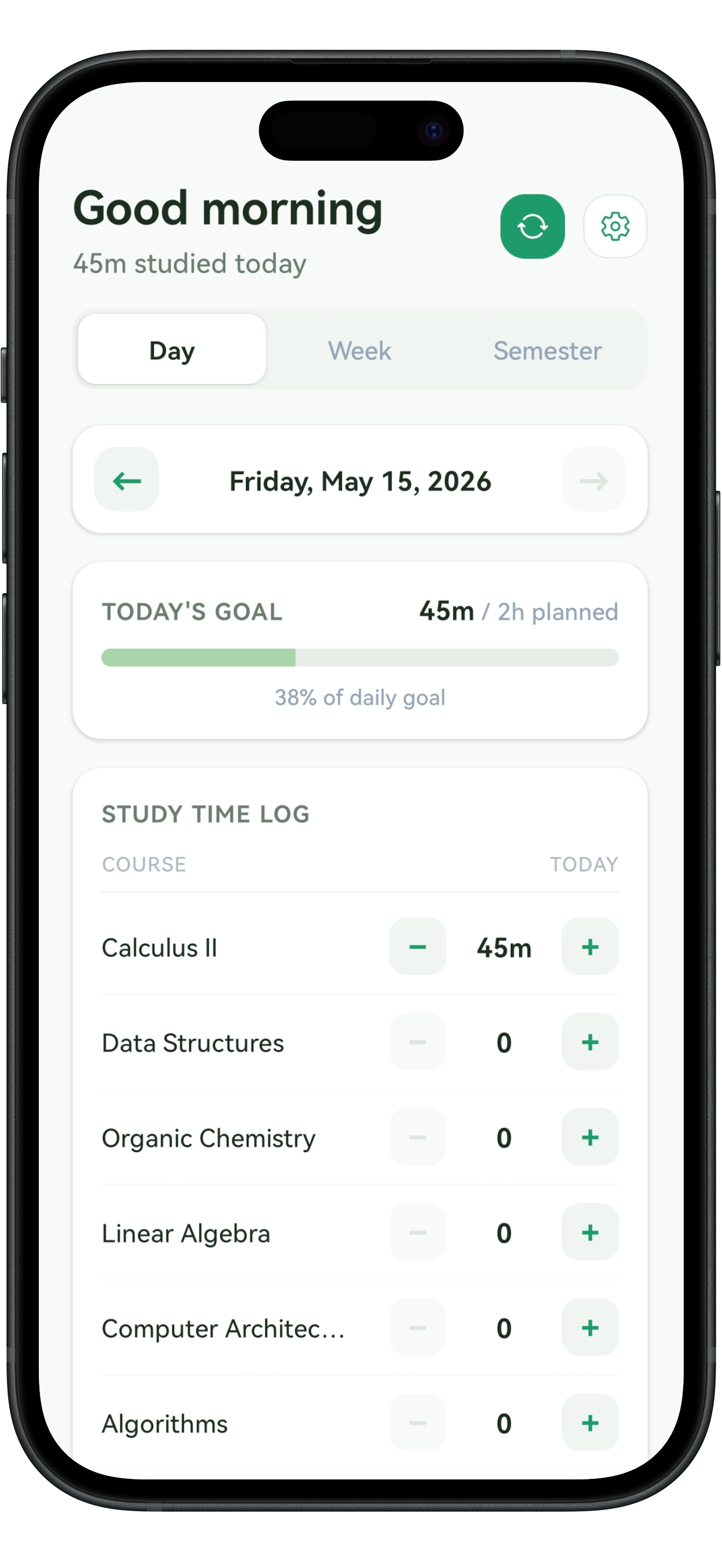
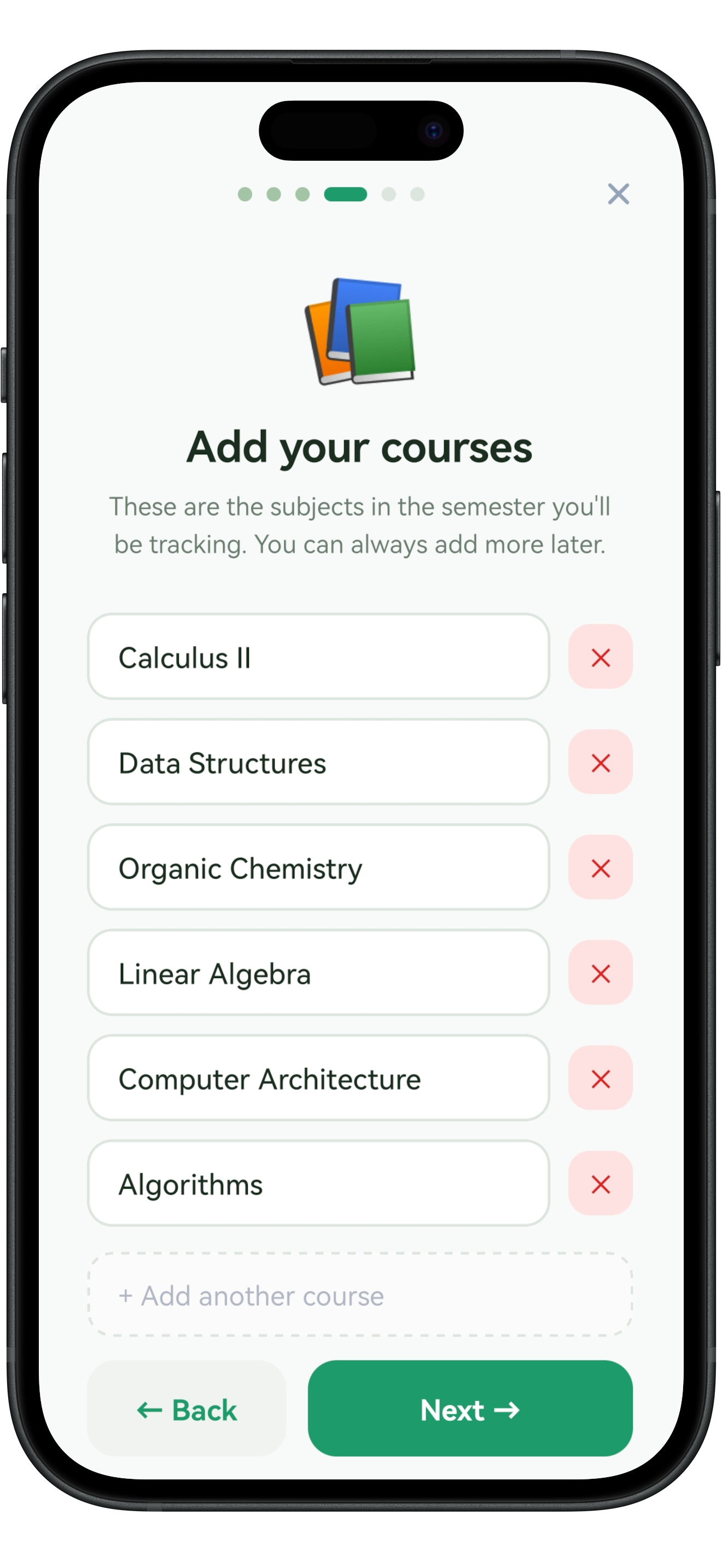
Add all your courses at the start of the semester. Each one appears as a tappable chip. Select a course and log study time. Keep your subjects organized without the clutter.
Make a simple weekly plan. Follow through one session at a time. Know exactly where you stand across every course, all from a single screen.
Semesters have a way of getting away from you. One minute you're keeping up. The next, you're not sure what you've done, what you haven't, or what to do next.
Simplann gives you just enough structure to stay oriented, one day at a time:
Add all your courses at the start of the semester. Each one appears as a tappable chip. Select a course and log study time. Keep your subjects organized without the clutter.
Log study time with preset durations: 30, 60, or 90 minutes. Or enter a custom time and add a note about what you covered. The whole thing takes seconds.
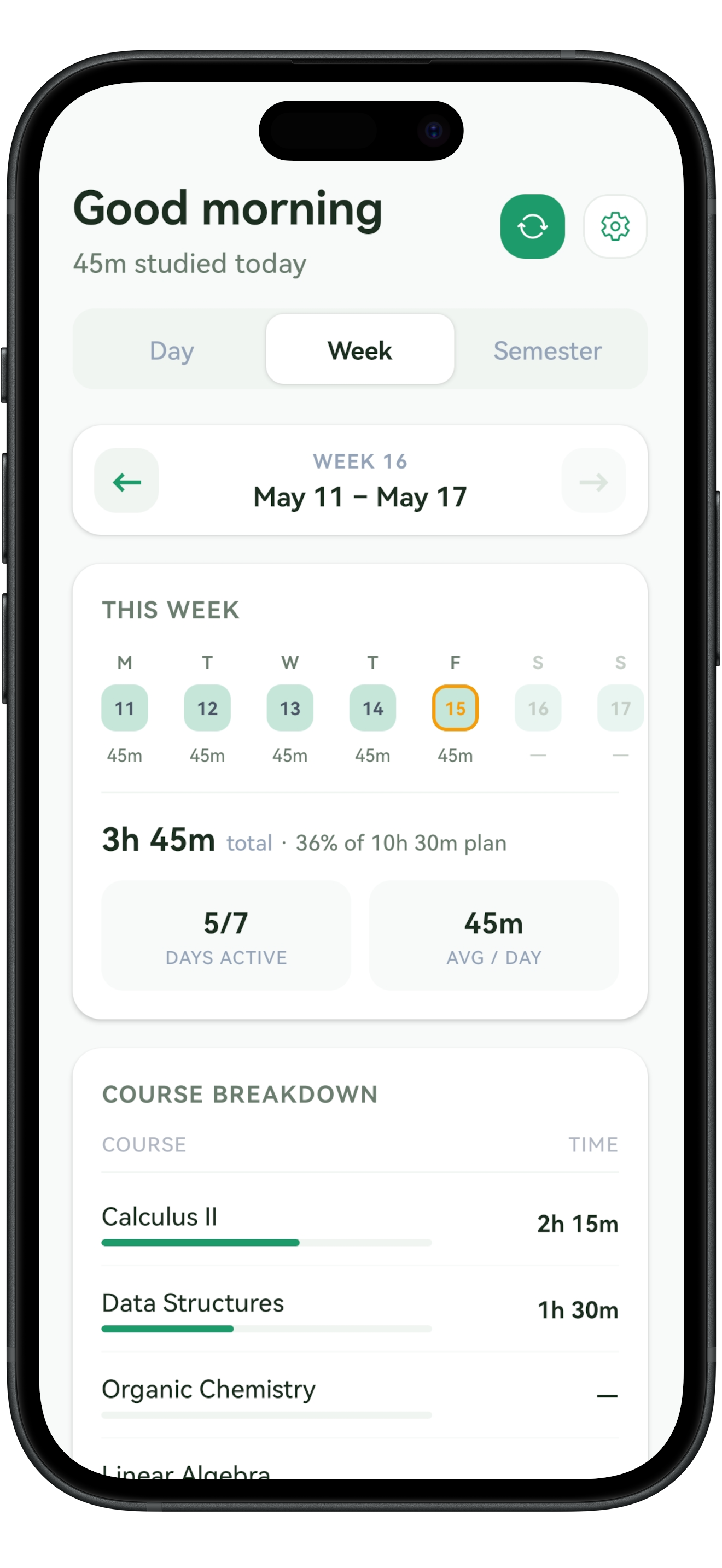
See your total study time for today and the full week. A breakdown by course shows where your effort is going. Spot which courses need more attention and which you can ease up on.
Set up to three daily reminders: morning, midday, and evening. Each one asks "What did you study today?" Set the times that fit your routine. Turn them off anytime.
During setup, define how many hours you plan to study each day. The app shows your actual time against your targets, so you can see if you're meeting your own expectations.
No account creation. No cloud syncing. Your study data lives on your device and nowhere else. Simplann works fully offline. Use it in the library, on the bus, or anywhere.
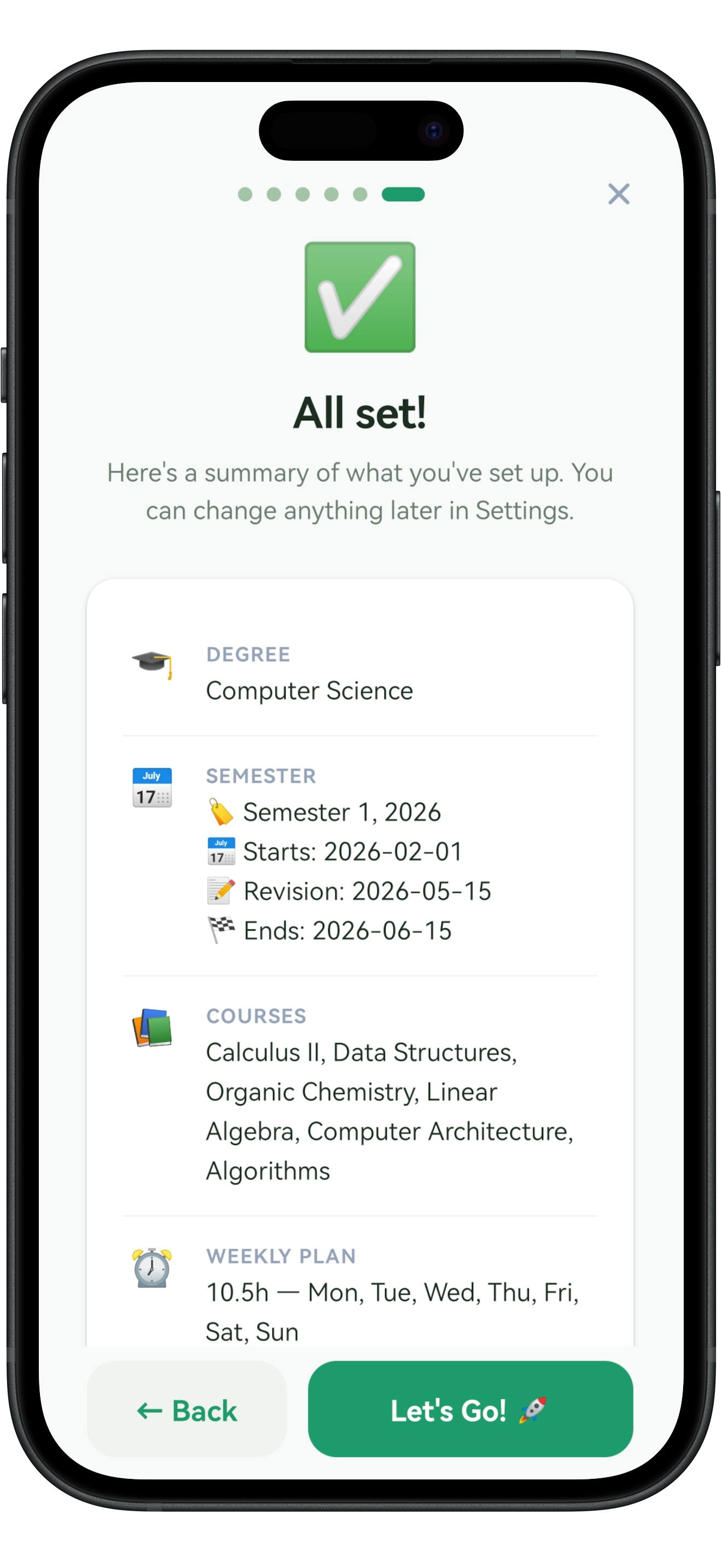
When you first open Simplann, a quick setup guides you through adding your courses and defining your weekly targets. Which courses, how many hours per day. It takes a couple of minutes, and you only do it once per semester.
Set goals that make sense for you. The app shows your actual time against your targets, so you always know if you're keeping pace.
Every time you finish studying, open the app, tap the course, and enter how long you studied: 30, 60, or 90 minutes, or a custom time. Add a note if you want. That's it.
Your daily total updates right away, and your progress toward the week's goals is always in view.
Swipe between Day, Week, and Semester views. The Week view shows your total time and a breakdown by course: which subjects are getting your attention and which are slipping.
The Semester view gives you the long picture across the term. See how your habits change week by week, and adjust before small gaps turn into big problems.
For following through each day. Use the app to log what you studied and see where you stand. It asks "did you study today?" and shows you the answer.
For big-picture planning. Use the planners to map out your semester deadlines, plan your week ahead, and break down busy days hour-by-hour when exams approach.
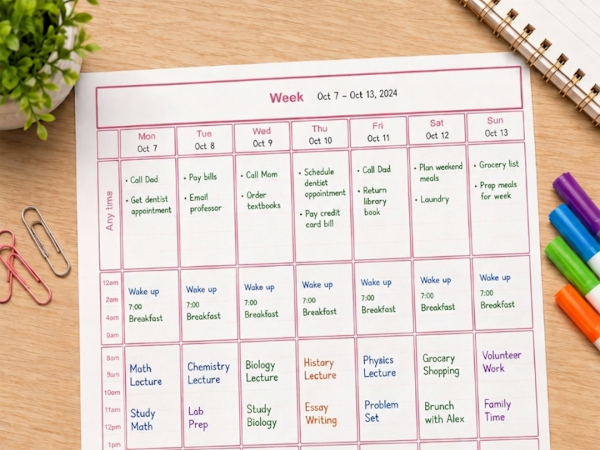
The planners help you decide what to do. The app helps you follow through and know where you stand. Together, they cover the full loop: plan, act, and stay on course.
Simplann is for students who feel lost during the semester and need a simple way to stay oriented. If any of these sound like you, Simplann is built for you:
Juggling four or five courses with different workloads? See which ones are getting your time and which are being left behind, before it becomes a problem.
When every study hour counts, Simplann shows if you're putting in enough time across all your subjects, or over-focusing on one at the expense of others.
If you start strong but fall off by week three, the daily reminders and visible progress help you pick it back up and keep going.
Simplann is a free app for iOS and Android that helps students plan their week, log study sessions, and see where they stand across every course. It's designed to be simple: no clutter, no complexity, no account required.
After a quick one-time setup where you add your courses and weekly targets, you use the app daily to log what you studied and for how long. The app shows daily and weekly summaries with a breakdown by course. Set optional reminders to prompt you to log your activity each day.
Yes, Simplann is completely free. There are no in-app purchases, no premium tiers, no subscriptions, and no account required. You download the app and get the full experience immediately. All your study data stays on your device.
Yes, Simplann works fully offline. Your study logs and course data are stored locally on your device using secure local storage. No internet connection is needed to track study sessions, view progress, or receive reminders. You can use it in the library, during commutes, or anywhere else.
Absolutely. Simplann is built specifically for students managing multiple courses simultaneously. Add as many courses as you need, log study time per course with a single tap, and see a clear breakdown of where your study hours are going across all your subjects in the daily and weekly summary views.
No. They're designed to complement each other. The printable planners are for forward planning: mapping out your semester, planning your week, and breaking down busy days. The app is for following through day to day and seeing where you stand. Use both together: plan ahead on paper, execute and track in the app.
You can enable up to three daily reminders: morning, midday, and evening. Each is customizable: choose which ones to activate and set the exact time. The reminders ask "What did you study today?" and help you stick with the habit. Turn them off anytime.
Yes. All study data is stored exclusively on your device. Simplann does not require an account, does not upload your data to any server, and does not share any information with third parties. Your course list, study logs, and weekly goals are yours alone. Read our full privacy policy for details.
Download Simplann and stop wondering where your time is going. Free, no account required, works offline.



Available on the web, iOS, and Android. 100% free. No account required.